

Refund an unused loyalty coupon
Return a customer's points when they've redeemed a coupon they don't want or can't use, for amount discounts and product redemptions alike, and let them redeem fresh.
Refund a coupon when a customer has redeemed points and wants them back, or redeemed the wrong thing and needs to start over. It works for both reward types:
- Amount discounts: the customer changed their mind, or the coupon's restrictions (minimum spend, product scope) don't fit their order.
- Product redemptions: the customer picked the wrong product, or the product is no longer available. Product-redemption coupons are locked to the product chosen at redemption, so refund plus a fresh redemption is how a customer "swaps" products.
Refunds are admin-only. Customers cannot reverse a redemption themselves. This is standard across loyalty platforms, so it's worth stating in your own store FAQ that customers should contact you to undo a redemption. Coupons also can't be edited: refund and re-redeem is the only way to change one.
Refund the coupon
Open Unused Loyalty Coupons
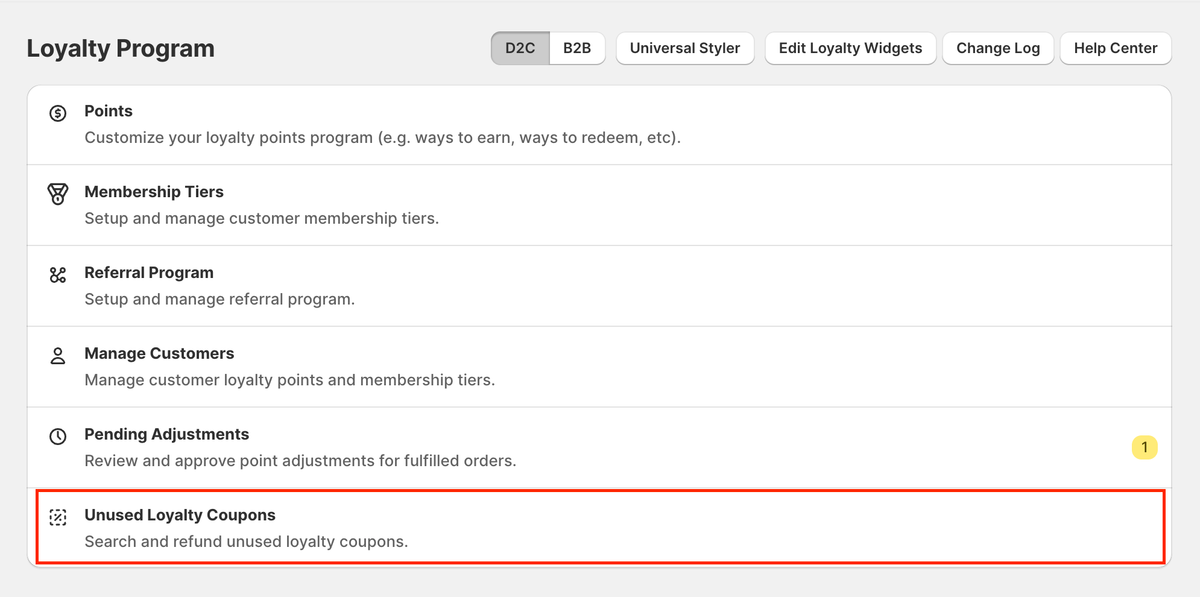
From the Loyalty Program dashboard, open Unused Loyalty Coupons.
Find the coupon
Search by coupon code or customer email. The table shows the code, customer, redemption method, point cost, and creation date.
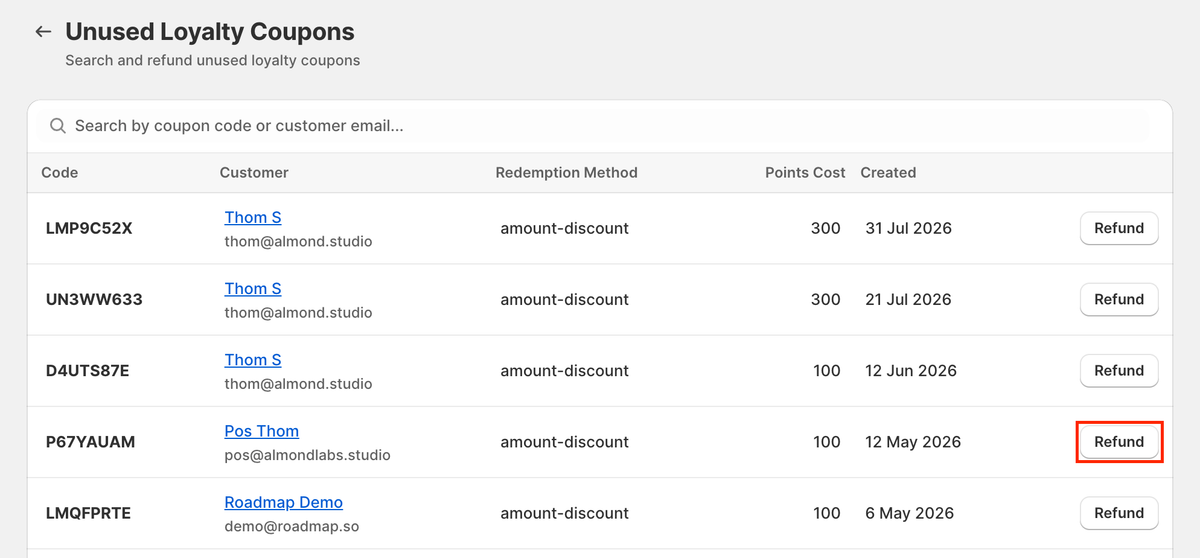
Click Refund and confirm
A confirmation shows the code, customer, and points to refund. Confirming returns the points and deletes the Shopify discount. The code cannot be used afterward.
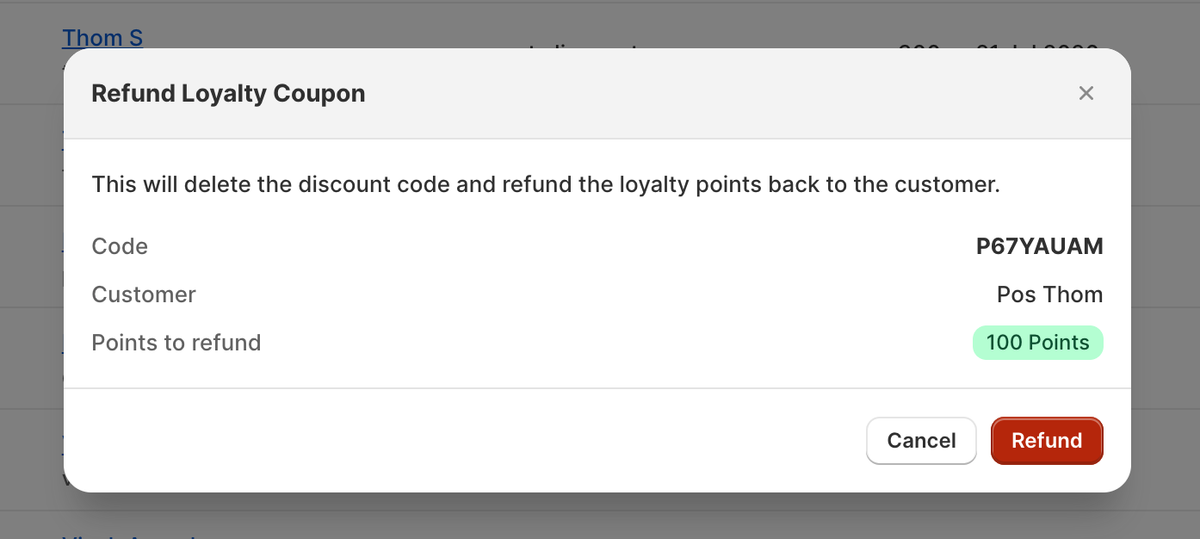


The refund appears in the customer's point history, their balance updates immediately, and they can redeem again straight away.
Coupon statuses
A customer's full coupon history, including used ones, lives in Manage Customers: open their profile, then Point History → Discounts.
- Active: generated and still unused. This is the refundable state (it appears in Unused Loyalty Coupons). Active does not mean the customer has spent it.
- Used: spent on an order. Cannot be refunded here.
- Refunded: already refunded; the points went back.
- Deleted: removed from Shopify.
Only unused coupons appear in Unused Loyalty Coupons. Once an order uses a coupon, it can't be refunded from this screen.