

Reward subscribers with loyalty points
Combine subscription auto-tagging with the Customer Tag way to earn to reward subscribers at milestones and reuse the tags for Klaviyo segments.
Reward subscribers automatically at milestones, such as a fifth or tenth subscription order. Subscription auto-tagging applies a Shopify tag, then a Customer Tag earner converts it into points.
If the milestone you want is a number of products bought, you do not need any of this. The Product Purchase Rewards way to earn counts products on its own, with no tags to keep in step.
The tag route below is still the one to use when you want to count subscription orders rather than products, or when you want several milestones paying different amounts, or when you want the tag itself for Klaviyo segments.
Set up subscriber rewards
Turn on subscription auto-tagging
In the Subscriptions dashboard, open Customer Auto-Tagging.
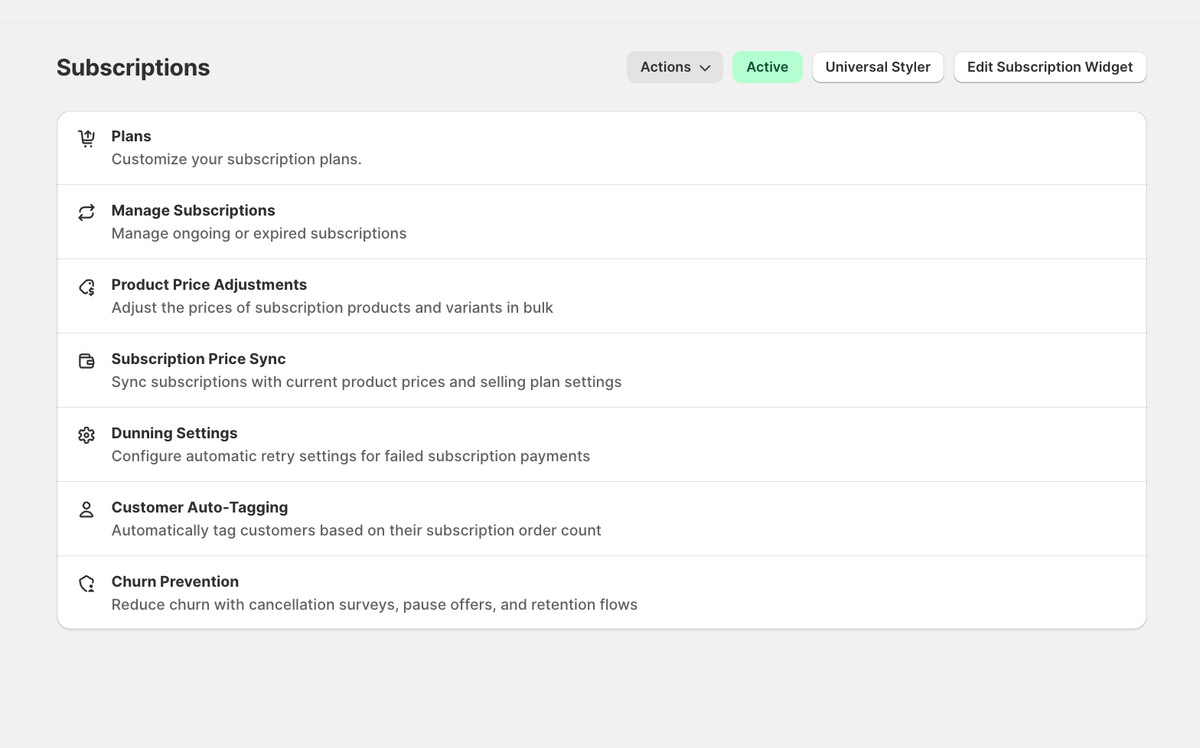
Customer Auto-Tagging lives on the Subscriptions dashboard. Enable auto-tagging. Choose a Count Method and add Tag Rules. For example, use
1→first-subscription-ordered,5→fifth-subscription-ordered, and10→tenth-subscription-ordered.- Order count counts initial and renewal subscription orders.
- Product count counts subscription line items across all orders.
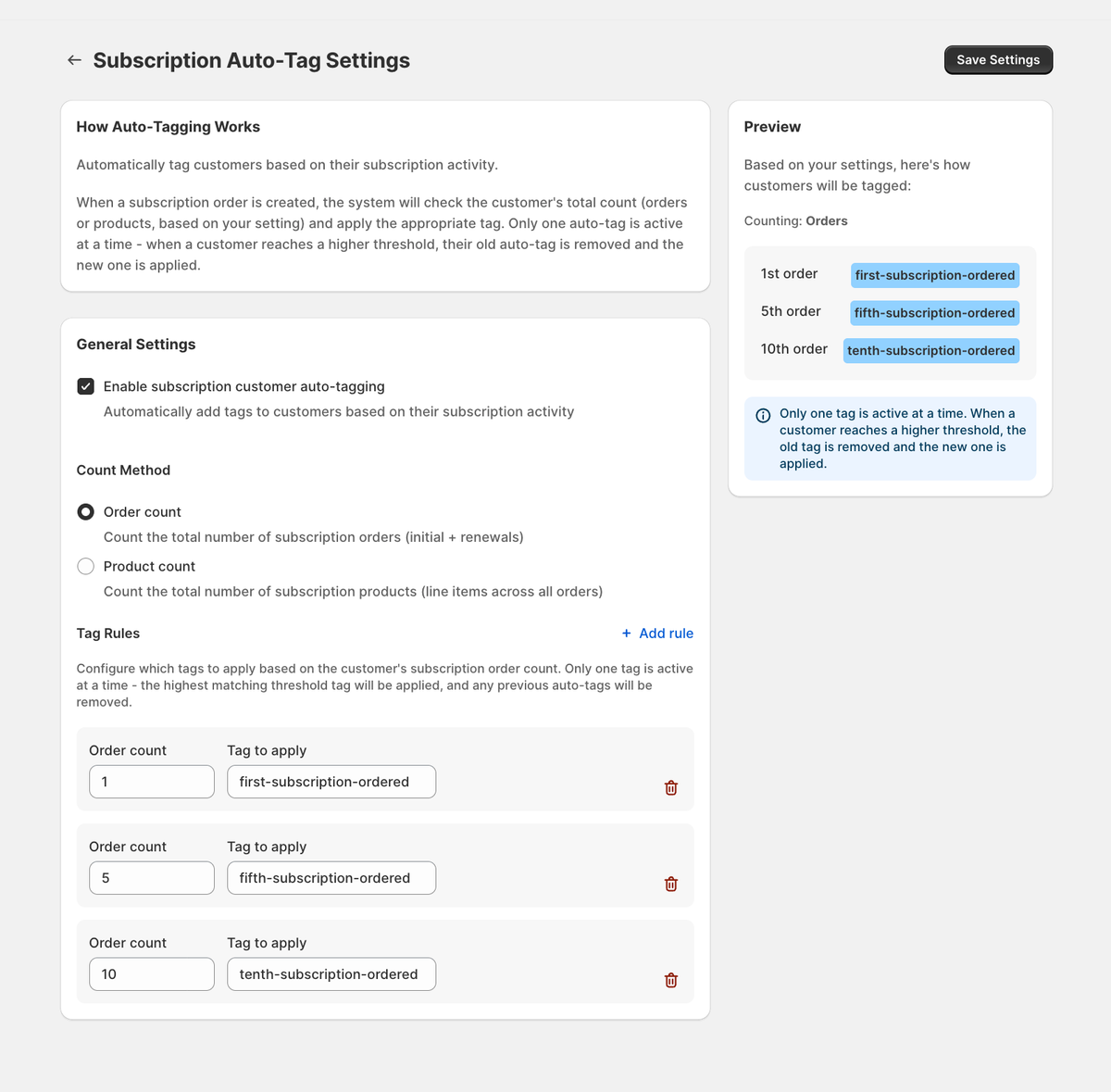
Tag rules with a live preview of how customers will be tagged. Award points for each tag
In Loyalty Program → Points, add a Customer Tag way to earn for each milestone tag.
Copy the tag exactly. Tags are case-sensitive. Leave Only award once unticked if a milestone can recur. Write Customer note for customers to read.
Reuse tags in Klaviyo
Shopify syncs tags to Klaviyo through its native integration. Build a segment using the Shopify tag, then use it in retention flows.


When a customer reaches a higher threshold, Roadmap removes the old auto-tag and applies the new one.
Keeping an eye on the counts
The subscription contract page shows a Customer Subscription History card. It lists subscription-order and subscription-product totals, plus a Loyalty rewards count, which is the customer's current product purchase count for the Product Purchase Rewards rule. A Loyalty Points card provides a View loyalty account link.
